We make Clank. These are our editorial recommendations based on documented features, with free app blocking and tag choice given the most weight. Read our approach.
Our pick depends on what you need to block
Clank is our number-one editorial pick for a free iPhone app controlled by an ordinary NFC tag. We are the team building it, and those are our priorities. This article compares documented capabilities; it is not an independent ranking or the result of a head-to-head test.
Clank is available free for iPhone and iPad on the App Store. Freedom is available across phones and computers, including a free plan. Freedom's current plans are a starting point if you need blocking on several devices.
One phone and a tag, or several screens
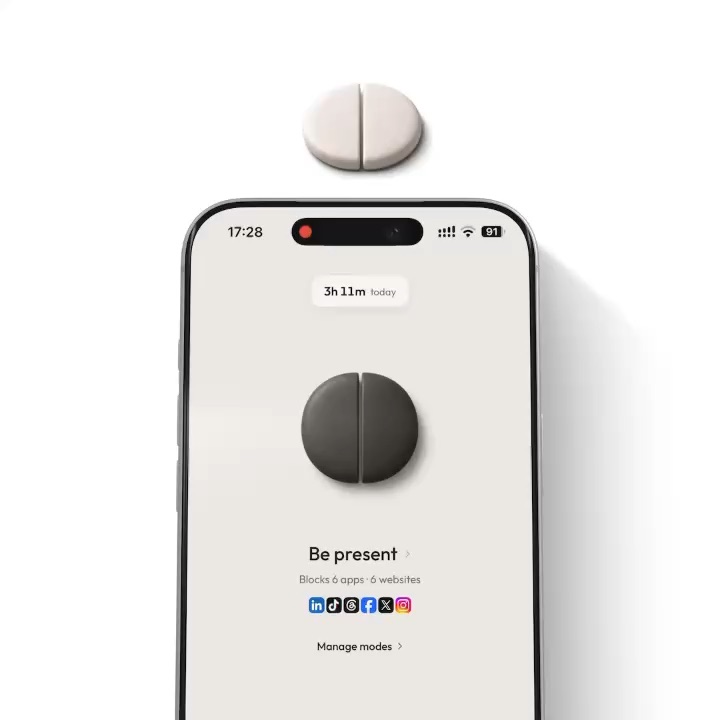
Clank is available for iPhone and iPad. On iPhone, you choose distracting apps, save a mode and scan a paired NFC tag to start blocking. Returning to that tag ends a tag-controlled session. A sticker in the hallway can put a walk between you and the feed you were about to open. See Clank's workflow.
Freedom lets one session cover multiple devices. Its current plan page lists Mac, Windows, iOS, Android and Chromebook, with device syncing included in the free plan. See supported platforms and plans. If you close a social app on your phone and open the same site on your laptop, that is a substantial advantage over a mobile blocker.
We are not building a desktop blocker into the current Clank app. An NFC tag paired with Clank will not block your Mac or Windows computer. Decide whether your problem happens mainly on your iPhone or iPad before comparing anything else.
Freedom covers ChromeOS and Linux through a browser extension, while Mac and Windows have desktop apps. Its platform guide explains that distinction. An extension does not establish coverage for another browser or every app on the computer. Check the places you actually browse, including any second browser.
Freedom has a real free tier
Freedom's free account includes immediate blocking sessions, custom blocklists and unlimited devices. The documented limits are sessions of at most two hours, with no recurring schedules, start-later sessions or Locked Mode. Those features require Premium. Freedom's free-versus-Premium guide spells out the differences.
For short work sessions across a phone and laptop, the free tier may be all you need. Clank's schedules, strict mode and iPhone tag control are included for free. Its device support is narrower, with no desktop blocker or public Android release.
For pricing checked on September 9, 2026, Freedom's homepage lists Premium at US$39.99 per year. Its billing guide also lists monthly and one-time Forever options. Check the annual price and current checkout plans for your location; offers and taxes can change. You do not have to buy Premium to try its free blocking.
A practical comparison
| Need | Clank | Freedom |
|---|---|---|
| Public installation today | Free on the App Store. | Available now. |
| Physical tag | Compatible NFC tag on iPhone, or QR tag on iPad. | Software blocking without buying a physical tag. |
| Several devices in one session | No. Each iPhone or iPad manages its own sessions. | Included in the free plan. |
| Schedules | Included for free. | Premium feature. |
| App price | Free to download and use. | Commercial app with free and paid plans. |
How Freedom blocks on an iPhone
Freedom's current iOS documentation separates Screen Time app blocking from website filtering through its local VPN profile. Screen Time can stop selected apps from opening; VPN-based filtering can stop content loading even when an app opens. Freedom also says you can use Screen Time app blocking without enabling its VPN. Its Screen Time picker can include website suggestions supplied by Apple based on device usage, so website blocking is not limited to the VPN route. Its iOS explanation is useful when deciding which permissions you need.
Clank uses Apple's Screen Time controls for selected apps, categories and websites. The NFC tag changes how you start or end the block. It does not create a new system-wide security boundary. We would not claim that adding a tag makes every app impossible to reach, or that it guarantees better results than Freedom.
Strict settings and their limits
Freedom's Locked Mode documentation describes restrictions on changing active sessions, blocklists and account settings. The exact controls vary by platform and must be enabled in the relevant app or dashboard. Its September 2026 iOS release notes also describe options to disable or remove early exits and breaks. The current session-ending guide documents a weekly early exit when that option is enabled. Check your settings rather than assuming Locked Mode has no recovery path.
Clank's strict mode prevents app installation and deletion while clanked, and the current build includes five emergency unclanks. Different controls answer different needs. We have not measured bypass resistance across the two products. Before using strict settings, check that you can still reach the apps needed for work or travel and understand how the session ends.
Where Clank fits
Our preference for Clank comes from wanting a free app and a small, inexpensive physical tag. You can choose a compatible NFC sticker, card or keychain for your iPhone without buying a branded device.
If you want to block several devices, try Freedom's free plan and decide whether you need its paid scheduling controls. If a physical step on your iPhone is the priority, download Clank free on the App Store. The Brick and Tap Out comparisons explain the hardware tradeoffs of dedicated devices.
Sources
Article updated 25 September 2026. Features, prices, and availability can change.
- Freedom current plans
- Freedom annual pricing and downloads
- Freedom free and Premium plan limits
- Freedom app and website blocking on iOS
- Freedom Locked Mode
- Freedom iOS release notes
- Clank on the App Store
- How Clank works
- Freedom desktop apps and browser-extension coverage
- Freedom subscription and billing options
- Freedom early-exit rules

Get Clank for free
Block distracting apps on iPhone and iPad with an NFC tag or printed QR code. No subscription or account required.
Download on the App Store