
Available now / iPhone & iPad
Block apps
for free.
Bring a tag. Or print one.
Choose a compatible NFC tag or generate a QR tag in Clank. Leave it across the room. Use the same tag to clank and unclank.
Free to download and use. No subscription or account.
01 / App + tag
Bring a tag.
Or print one.
Use an inexpensive, compatible NFC tag from any seller, or generate a QR code in Clank and print it. No proprietary hardware required.

Two ways to clank
An NFC tag
Pair a compatible sticker, card or keychain with your iPhone. Use one you own or buy a blank tag.
A printed QR tag
Generate a code in Clank, print it, then scan the print inside Clank to pair it. iPad uses its camera, so it needs no NFC reader.
Clank is free. Your only tag cost is the NFC tag or printing.
Which tag works with my device?Keep your tag or printed code away from your device. The walk back is part of the point.
02 / Setup
How it works
Pair your NFC tag or printed QR code once. Each scan inside Clank starts or ends a clank with that same tag.
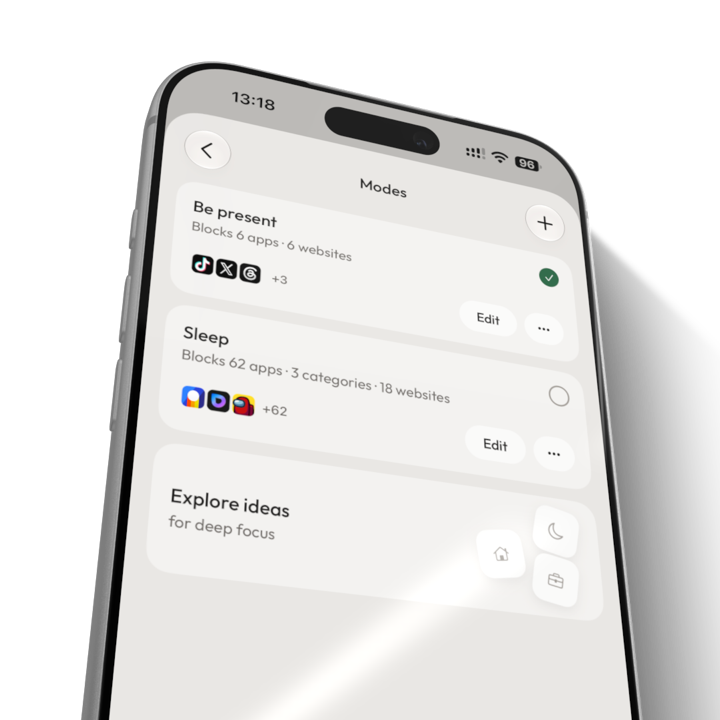
Choose what to block.
Choose the apps to block and save them as a mode. Apps you leave out stay available.
 02
02Scan your tag to clank.
Open Clank and scan your paired tag. Tap an NFC tag with a compatible phone, or use the in-app camera for your printed QR code.
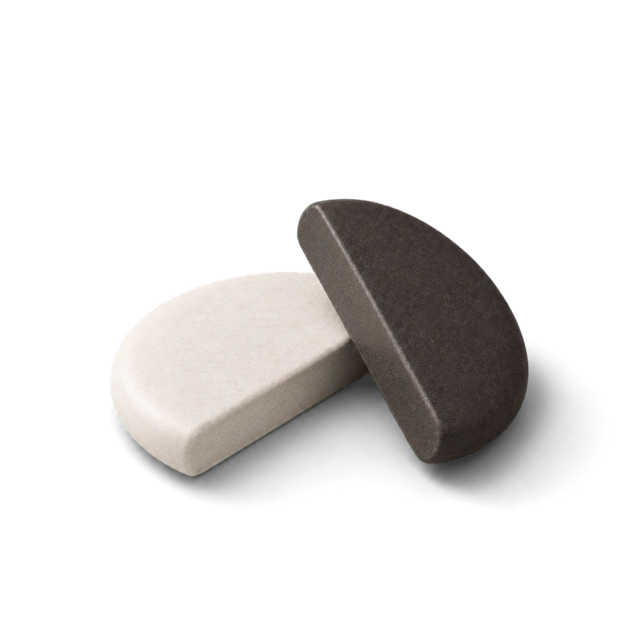
Come back to unclank.
Leave your tag or printed code somewhere you have to get up to reach. Return and scan it inside Clank to unclank. You can also set timed sessions and schedules.

03 / Features
What's included
All features are free. Shown here on iPhone. iPad uses printed QR tags.


04 / Day 1 / Day 7 / Day 30
Try it for a month
A suggested starting point. Pick a time when you'd like to use your device less, then adjust your setup as you go.
- Day01
Try it at dinner.
Choose the apps you reach for most. Scan your tag in Clank before dinner and leave it in another room. Calls and apps you haven't blocked stay available.
- Day07
Add a schedule.
If you're clanking at the same time each day, set a schedule to start it automatically. Keep your tag in a regular spot so you know where to find it.
- Day30
Review your modes.
Check your activity and review your blocked apps. Keep the modes you use and change the ones that block too much or too little.
05 / Screens
Inside Clank
Choose your apps, save a mode, or set a schedule.

HomeStart a clank with your selected mode.

ClankedSee how long your apps have been blocked.

Pick appsApps, categories and websites. You choose.

ModesSaved app selections for work, evenings or sleep.

SchedulesModes that start on their own.

ActivityYour clanked time, by day and week.

SettingsYour tag, strict mode and emergency unclanks.
06 / FAQ
Questions
about Clank
Is Clank really free?
Yes. Clank is free to download and use, with all features included and no subscription or premium tier. Use a compatible NFC tag you own or generate and print a QR tag in the app. Any tag or printing costs are separate.
Do I need to buy a special device?
No. Use an inexpensive, compatible NFC sticker, card or keychain from any seller. You can also generate a QR tag in Clank and print it. Neither option requires proprietary hardware.
Which tag works with my device?
On an NFC-capable iPhone, you can pair a compatible NFC tag or use a printed QR tag. iPad uses printed QR tags with its camera. iPhones without NFC can use the QR option too.
For NFC, a blank NTAG213, NTAG215 or NTAG216 sticker is an easy choice. Compatible NFC cards and keychain fobs work too. Choose an on-metal tag if you want to stick it to a metal surface. Prices vary by seller, quantity, tax and shipping.
How does a printed QR tag work?
Generate your QR tag in Clank, print it, then scan the print inside Clank to pair it. To start or end a clank, open Clank and use its scanner on that same printed code. Scanning with the system Camera app does not clank or unclank.
Keep the print away from your device, somewhere you have to get up to reach. A copy of the QR code works as the same tag, so keeping a photo on your device removes that reason to walk back.
Do I need to program an NFC tag?
No. Pair it in Clank and the app remembers its ID. On a compatible iPhone, you can optionally write a link to a writable tag so a tap opens Clank. Printed QR tags are generated in the app and need no NFC setup.
Can I just delete Clank to get around a block?
On iPhone and iPad, strict mode prevents installing or deleting apps while clanked, including Clank itself.
What if I lose my tag or need urgent access?
Clank includes five emergency unclanks for when your NFC tag or printed QR tag is missing, or you need to end a block. They are a limited fallback, so keep your tag somewhere you can return to.
Will it block calls, maps or messages?
You choose what to block. Leave essentials such as Phone, Maps and Messages out of your blocked apps. You can make different modes for work, evenings or sleep.
How do I get Clank today?
Download Clank for free from the App Store for iPhone and iPad. Android is not available for download yet.
Available on the App Store
Free to download and useGet Clank.
It's free.
Choose the apps you want to block, pair your tag, and start your first clank.
Available for iPhone and iPad. No subscription or account required.

Use a compatible NFC tag you own, or print a QR tag in Clank.
Get support